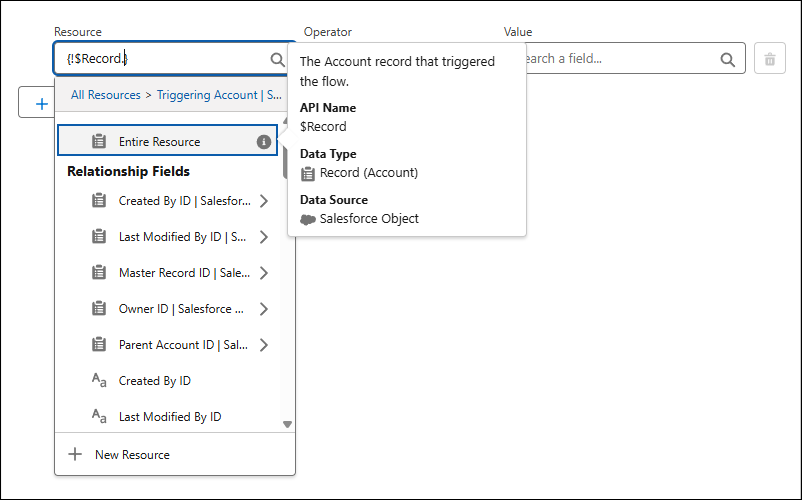
The new Entire Resource menu item on the resource selection menu streamlines how to select the entire resource that you’re currently browsing. Previously, to select the entire resource, you had to select the resource from the resource menu, and then click out of the menu without selecting a specific field
Where: This change applies to Lightning Experience and Salesforce Classic in all editions
How: To add the resource you’re browsing, after selecting a resource in the resource picker, click Entire Resource. For example, clicking Entire Resource when browsing through a triggering record’s fields selects the entire triggering record as a resource