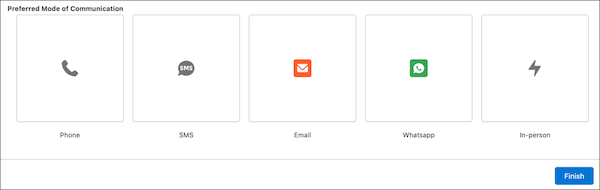
You can make choices in screen flows more visually engaging with the Visual Picker Component. Combining icons and text, the Visual Picker component helps users quickly select what they need without scrolling through long lists or dropdown menus
Where: This change applies to Lightning Experience, Salesforce Classic (not available in all orgs), in Essentials, Professional, Enterprise, Performance, Unlimited, and Developer editions
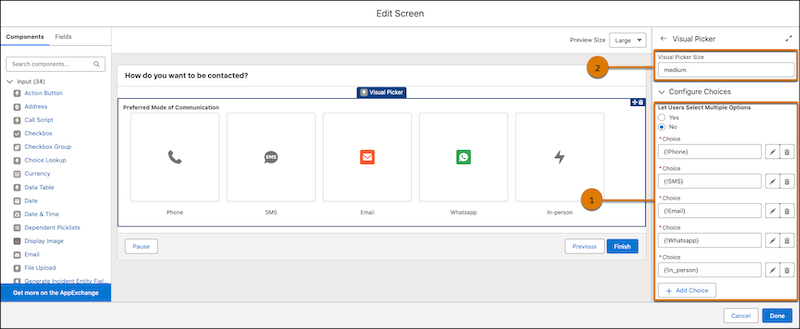
How: Create your choice resources, and add icons to them if you want. Drag the Visual Picker to your screen element. Configure the Visual Picker properties, including the visual picker size (1) and the option for users to select more than one choice (2). Add the choices that you created earlier
At runtime, users can quickly select tiles by glancing over the icons