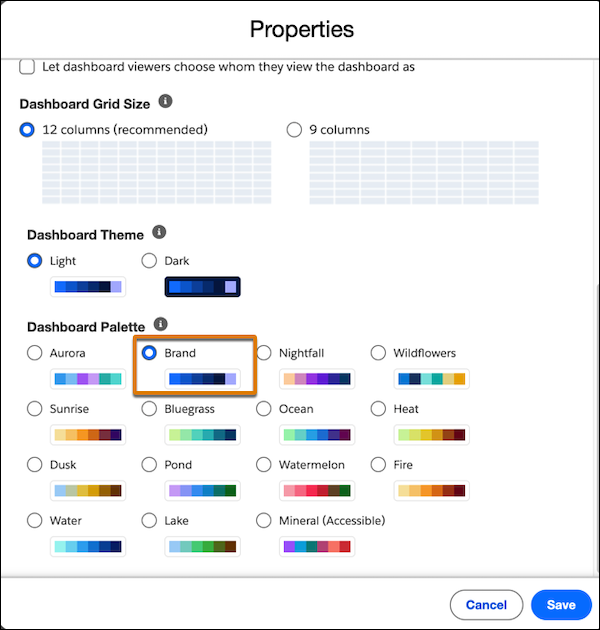
Reduce manual effort and maintain standardized, accessible data visualizations across your organization by using a brand color palette. Instead of manually updating colors in individual reports and dashboards, you can configure a brand palette once in your organization’s theme settings and apply it to report and dashboard charts.
Where: This change applies to Lightning Experience in Professional, Enterprise, and Unlimited editions
How: From Setup, in the Quick Find box, enter Themes and select Themes and Branding. Set the brand color by creating or editing a theme, and then activate the theme
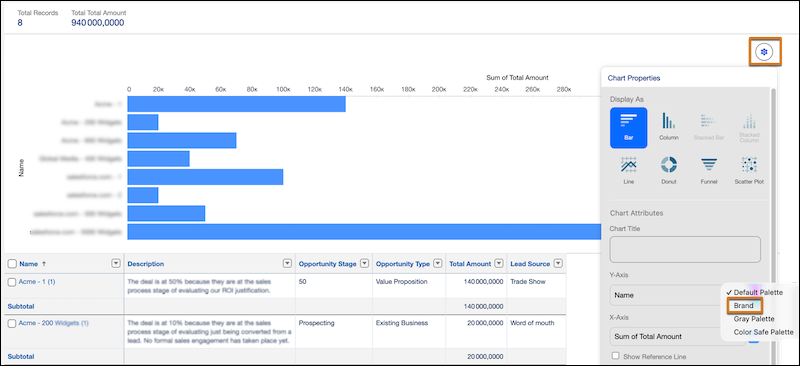
To apply the brand color to your reports, select Brand in the report chart properties
To apply the brand color to your dashboard widgets, select Brand in the dashboard properties